

The machine selected in Document Control is not supported by the currently checked-out license modules.
Please either:
1. Select a different machine type in Document Control, OR
2. Check out the necessary license modules to support the machine you intend to use.
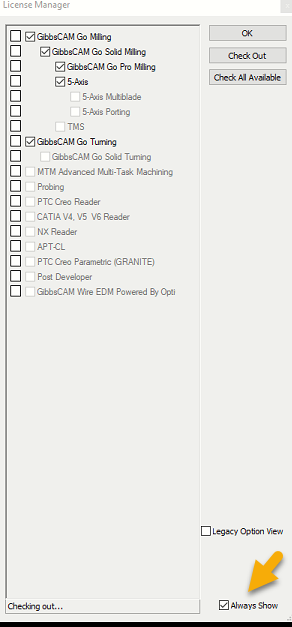
If you do not see the License Manager when starting Gibbs, you can find it under File > Preferences > Interface, click License Options; then, in the License
Manager dialog, click "Always Show".
The license check-out window will now appear automatically the next time you launch GibbsCAM.